Supporting Documents : Accounts Payable
Supporting documents can be uploaded for both suppliers and individual invoices or bills. These documents can also be selectively synchronized with the General Ledger (GL) based on the configured sync preferences.
Contents:
Supplier Supporting Documents
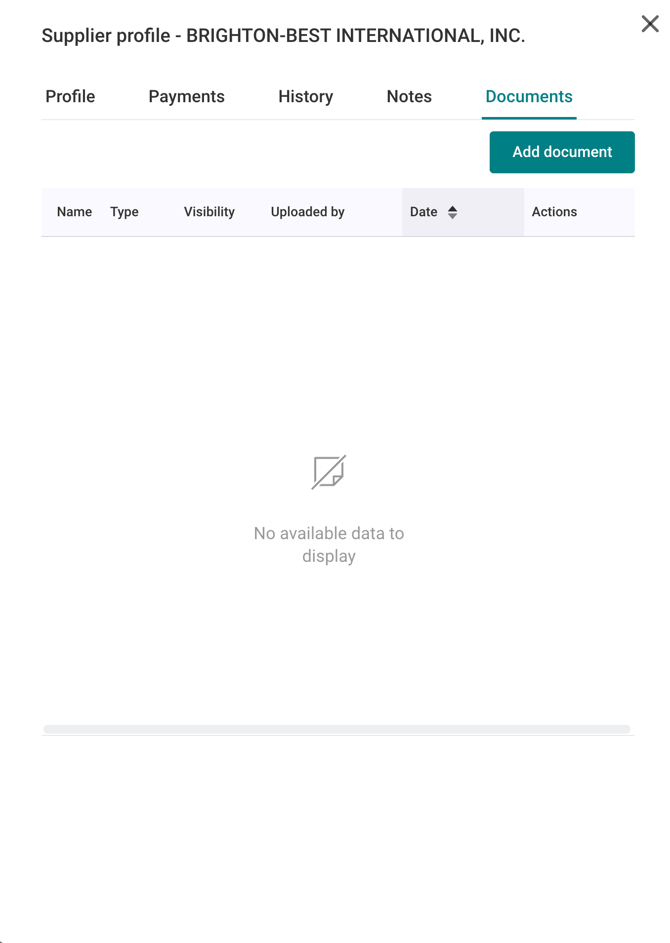
AP users can upload and manage supplier-related documents directly within the supplier profile. Additionally, documents can be shared between AP users and suppliers through Centime.
Upload Supplier documents:
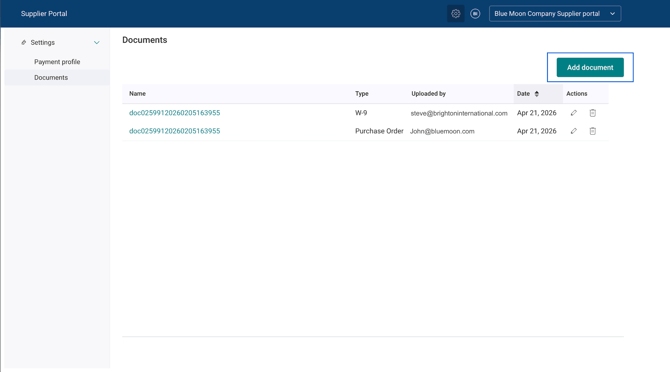
- Navigate to Supplier Profile → Documents → Add Document.
Control Supplier Document Access with Permissions
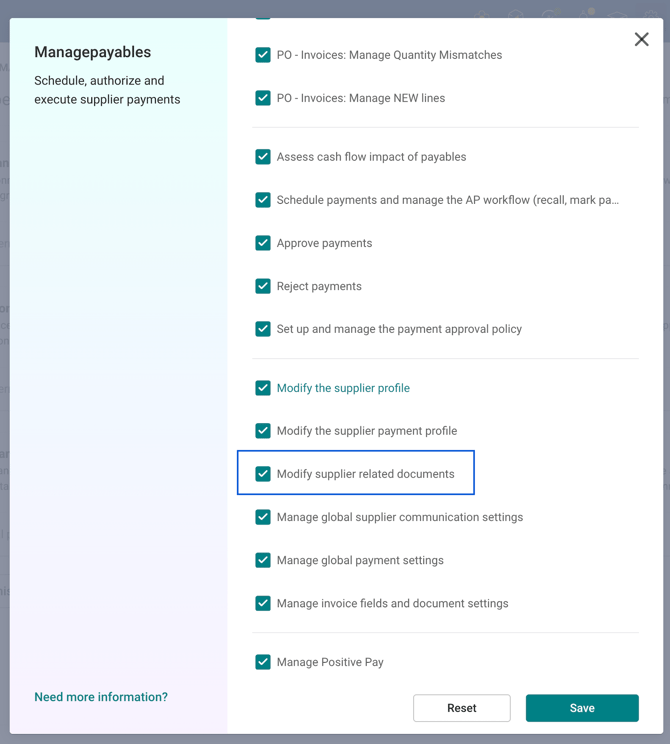
- Access to supplier documents can be managed through permissions. Manage Payables section→ Modify Supplier Related Documents to allow users to view, upload, and manage supplier documents.
- Only users with this permission will have access to supplier documents and receive related email notifications.
Exchanging Documents Between AP Users and Suppliers
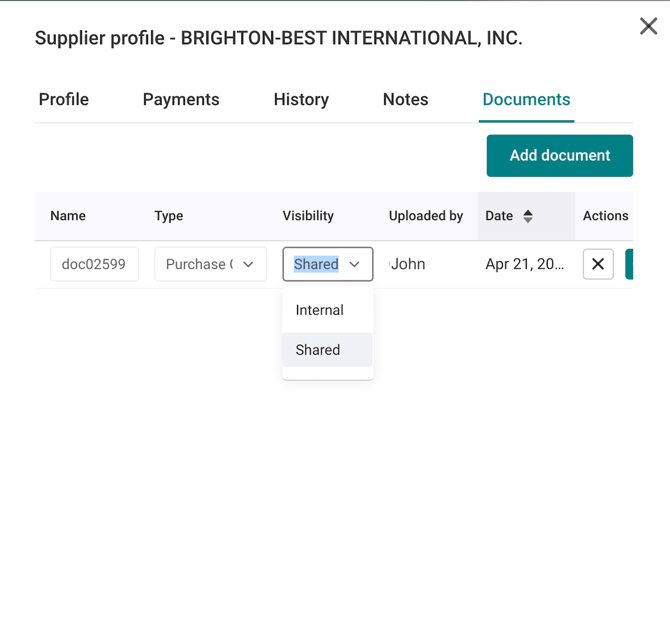
AP users can share documents with suppliers by marking a document as “Shared.”
This triggers an email notification to the supplier’s primary contact, prompting them to log in to the supplier portal to view the document.
Suppliers can view shared documents in Settings → Documents. From this tab, they can access documents and upload new ones, which will notify the AP user.
Invoice/Bill Supporting Documents
Upload Invoice/Bill documents:
Supporting documents can be uploaded for unposted invoices, unpaid bills, and paid bills.
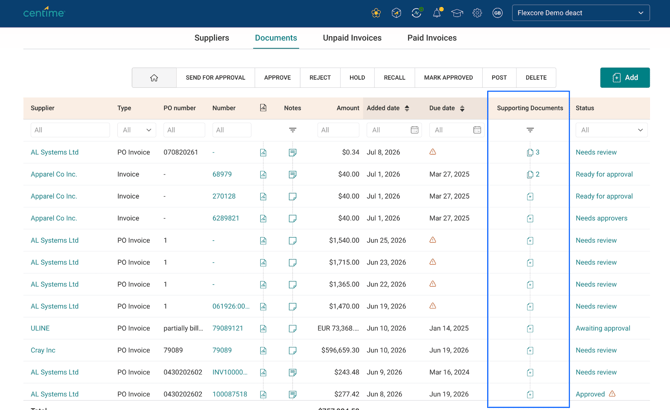
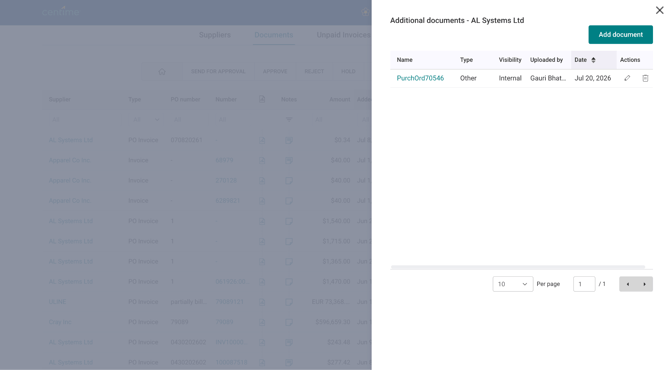
The Supporting Documents side panel can be accessed by clicking the Supporting Documents column, which is available in the Documents, Unpaid, and Paid tabs.
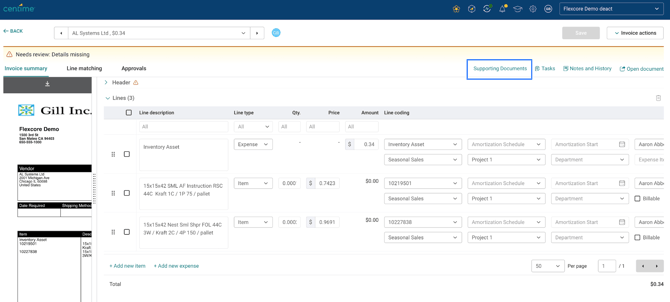
Supporting documents can also be uploaded directly from the Invoice Summary for unposted invoices.
Up to 20 supporting documents can be uploaded for each invoice/bill.
Access Control for Supporting Documents
Access to supporting documents is tied to a user's access to the associated invoice or bill.
For example:
- Invoice Approvers can view, upload, and delete supporting documents for invoices they are assigned to approve.
- Payment Approvers can view, upload, and delete supporting documents for bills they are assigned to approve.
- Users with Full Access can view, upload, and delete supporting documents at any stage of the invoice or bill lifecycle.
Supporting Documents sync preferences
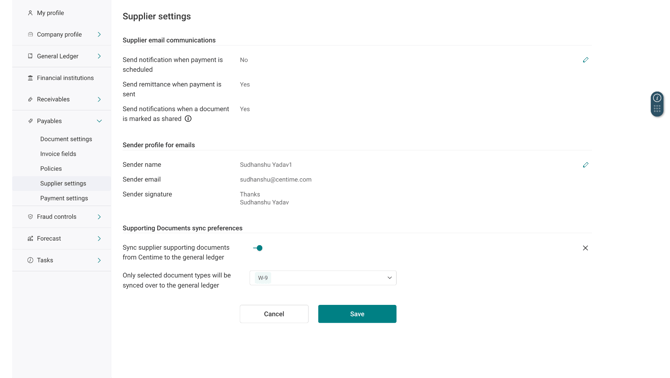
Define the sync preferences for supporting documents associated with invoices and suppliers with the setting.
Important Notes:
- Syncing supporting documents to the GL may impact the available storage capacity in the GL. This can have cost implications in the GL.
- Only supporting documents uploaded after this setting is enabled or updated will be synced to the GL.
- Supporting documents are synced to the GL during the scheduled synchronization process or when a manual sync is triggered.
- This setting is not applicable to QuickBooks Desktop (QBD) due to ERP limitations and restrictions.
- Supporting document deletions are not synced between Centime and the GL. Once a document has been synced, deleting it in one system does not delete it in the other.
Supporting Documents Sync Workflow
Separate sync settings are available for Invoices/Bills and Suppliers.
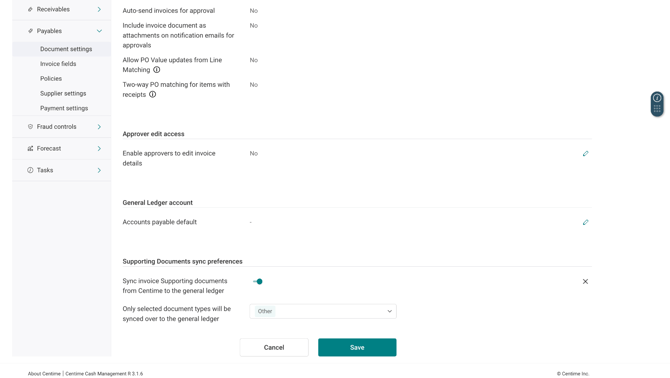
After enabling the Sync Supporting Documents setting, you must configure the document types to be synced. This allows only selected document types to be synchronized with the ERP/GL instead of syncing all supporting documents.
Invoices/Bills
Navigation: Payables → Document Settings → Supporting Documents Sync Preferences
Note:
- For unposted invoices, supporting documents are not synced until the invoice is posted to the GL.
- In case of posting before approval:
- If an invoice is posted before it is fully approved, the supporting documents available at the time of the initial posting will be synced to the General Ledger (GL). Any supporting documents uploaded after the initial posting will be synced when the invoice is finally posted to the GL after approval.
Suppliers
Navigation: Payables → Supplier Settings → Supporting Documents Sync Preferences