
Step 1: Payment Authorization
-
The customer submits a payment, applying credits and early pay discounts if applicable.
-
Centime posts the payment to the Undeposited Funds GL for all invoices included in the transaction.
-
If applicable, Centime also posts:
-
A journal entry to the Discount GL
-
A journal entry to the Surcharge GL
-
Step 2: Settlement Posting
-
Centime posts two separate records in Intacct because Intacct doesn’t allow negative amounts inside a Deposit:
-
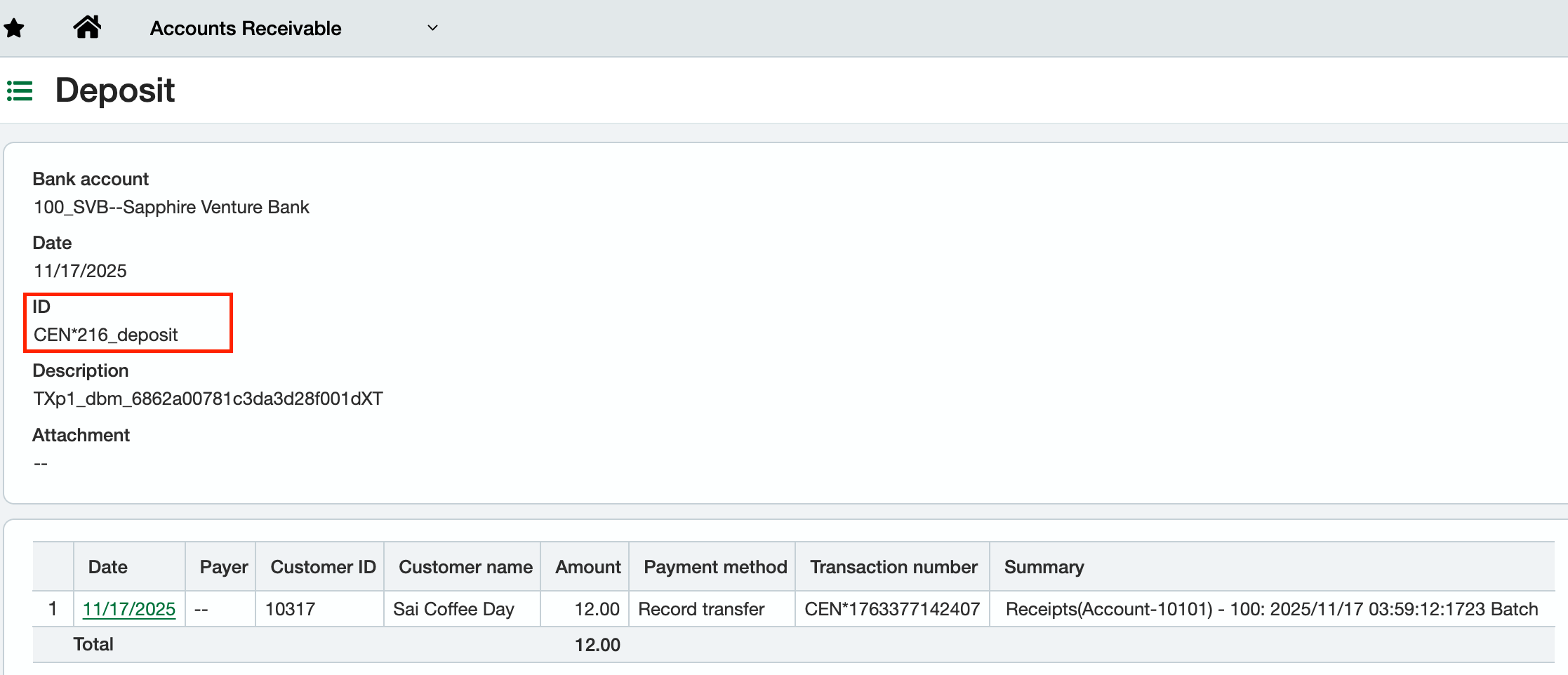
Deposit – shows the full amount paid by your customer.
-
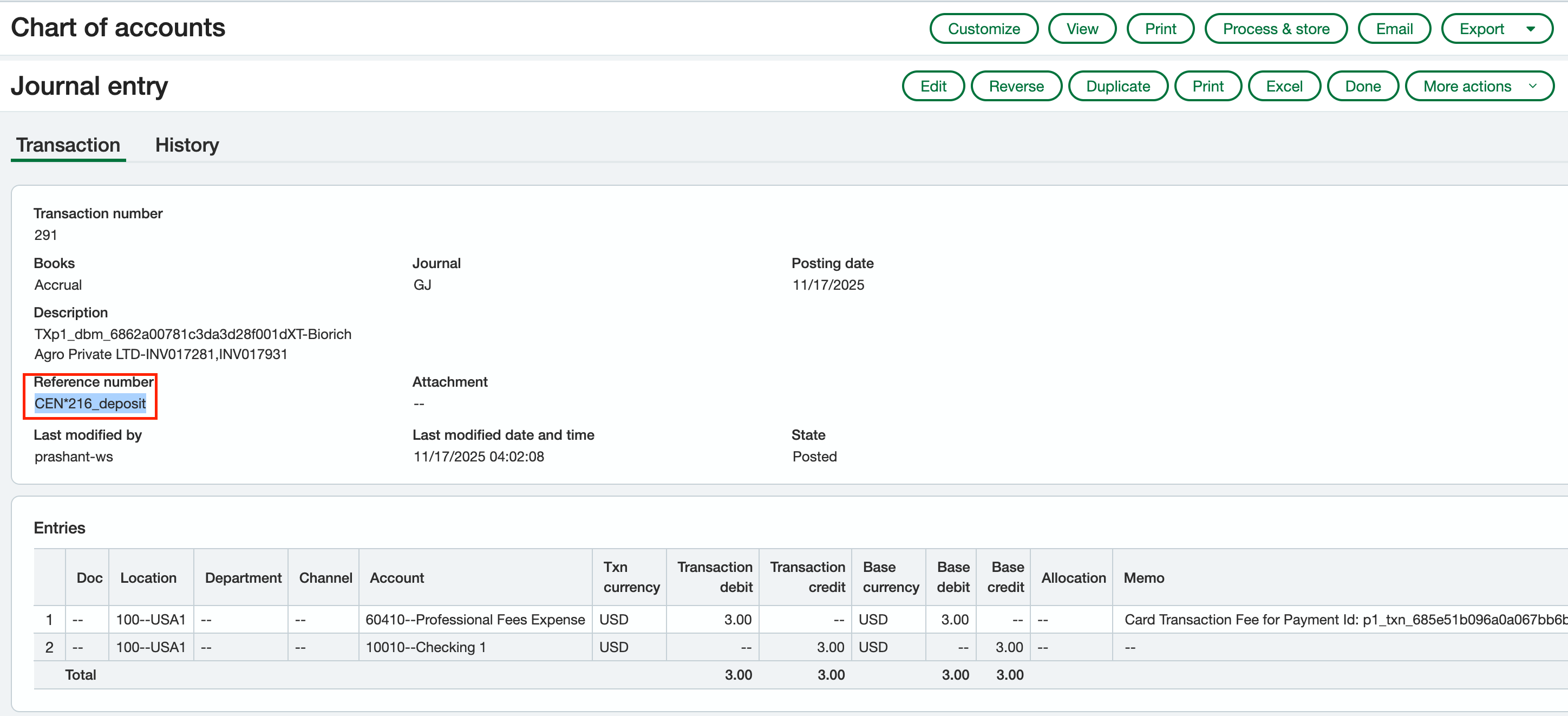
Fee Journal Entry – posts the processing fee to your Fees/Merchant Fees GL account. eg: $3.00
Both entries use the same Reference Number (e.g., CEN*216_deposit) so you can easily match them.
How to reconcile in Intacct:
-
Open the Deposit record.
-
Search for a Journal Entry with the same Reference Number.
-
These two together represent your gross deposit and the fee deduction.
- Match the Deposit and JE using the shared reference to understand your net payout received in your bank.
-