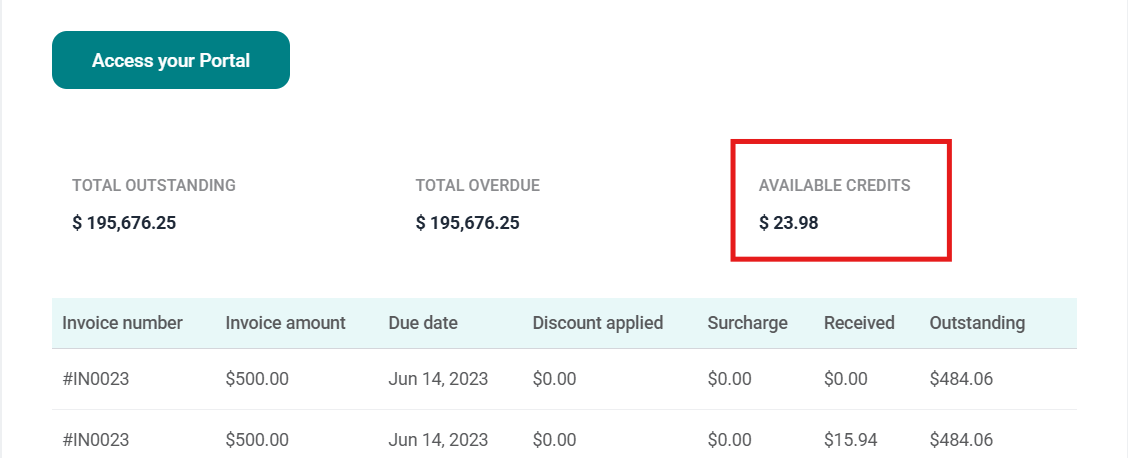
Three new data points are available: Outstanding Balance (unchanged), Available Credits, and Net Collectible. Net Collectible = Outstanding AR Balance − Available Open Credit.
When Net Collectible is negative, the customer holds a Credit Balance — meaning available credits exceed what they currently owe. This credit can be applied to future invoices.
Net Collectible displays as $0 in the UI (the credit balance is shown separately) to avoid misrepresenting collectible amounts in collections workflows. The underlying subledger balances are unaffected.
1. AR module — customers tab
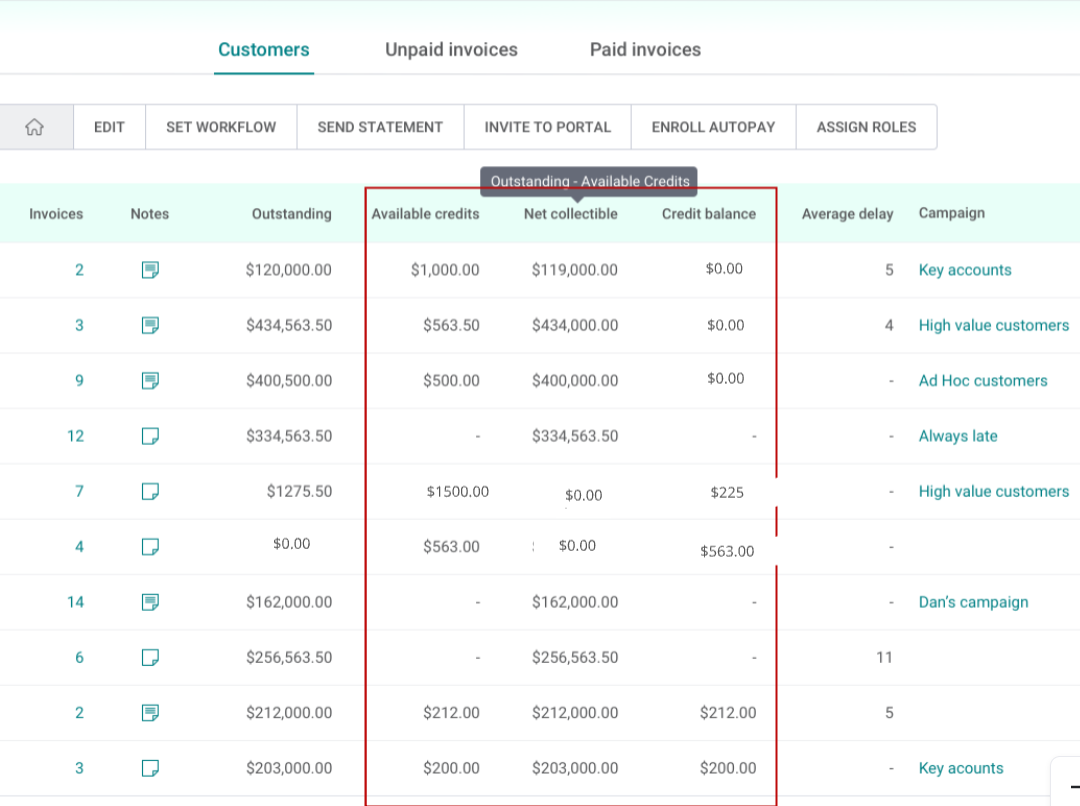
Three columns are now visible in the Customers tab:
| Column | Description |
|---|---|
| Outstanding Balance | Total unpaid invoices — unchanged from prior behavior |
| Available Credits | Sum of all unapplied/open credits for the customer |
| Net Collectible | Outstanding Balance minus Available Credits. Displays $0 if result is negative (credit balance scenario) |
All three columns support sorting and filtering, consistent with the existing Outstanding Balance behavior.
Example scenarios
| Customer | Outstanding AR | Available Credit | Net Collectible | Credit Balance |
|---|---|---|---|---|
| ABC Suppliers | $1,275 | $1,500 | $0 | $225 |
| Normal Customer | $50,000 | $10,000 | $40,000 | $0 |
2. Customer portal - payables summary
Buyers accessing the portal now see:
- Available Credits displayed in the Payables Summary section
- Total Payable Balance = Outstanding Balance − Available Credits
Previously, credits were only visible after a buyer navigated to "Invoice > Apply Credit." Credits now surface proactively in the summary view.
3. Email - Monthly Statements