High Level Workflow in The General Ledger
- Create Blanket PO
- Create the Sub-POs that are generated from the Blanket PO
- Create Pre-payment that is applied to the POs. This can also be applied to the bills after billing.
- Receive the POs
- Match and bill the POs with Vendor Invoices.
- Pre-payment will automatically get applied.
How does Centime help?
From the steps above, “Match and bill the POs with the vendor invoice” is handled in Centime. When the bill is posted, any linked vendor prepayments are automatically applied.
In NetSuite:
- Posting the bill automatically updates the Purchase Order.
- The vendor prepayment is automatically applied to the bill.
- A vendor prepayment application is created automatically.
In Centime:
- If there is a remaining balance, the bill appears as an unpaid bill.
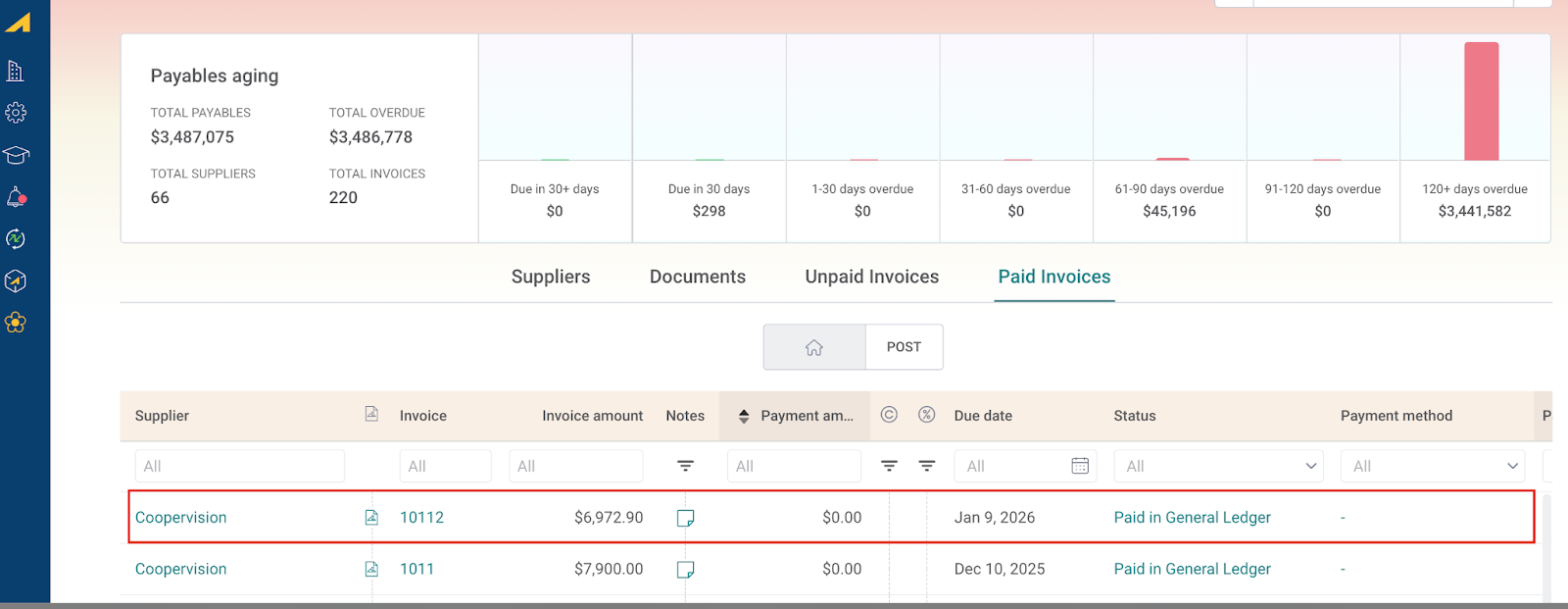
- If the prepayment fully covers the bill amount, the bill is moved to “Paid in the GL” Status.
PO <> Bill Prepayment Flow
Step 1: Create Blanket PO
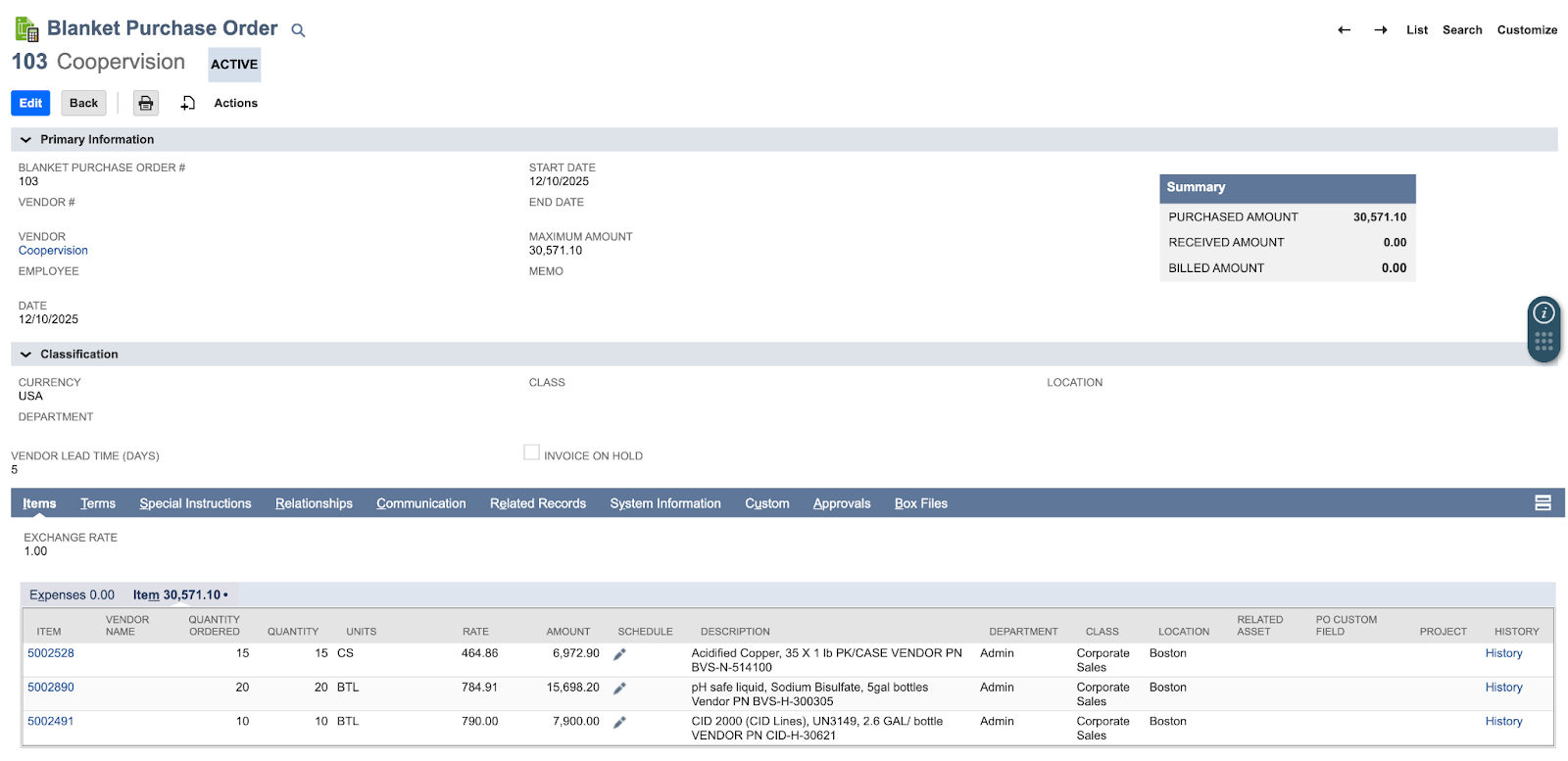
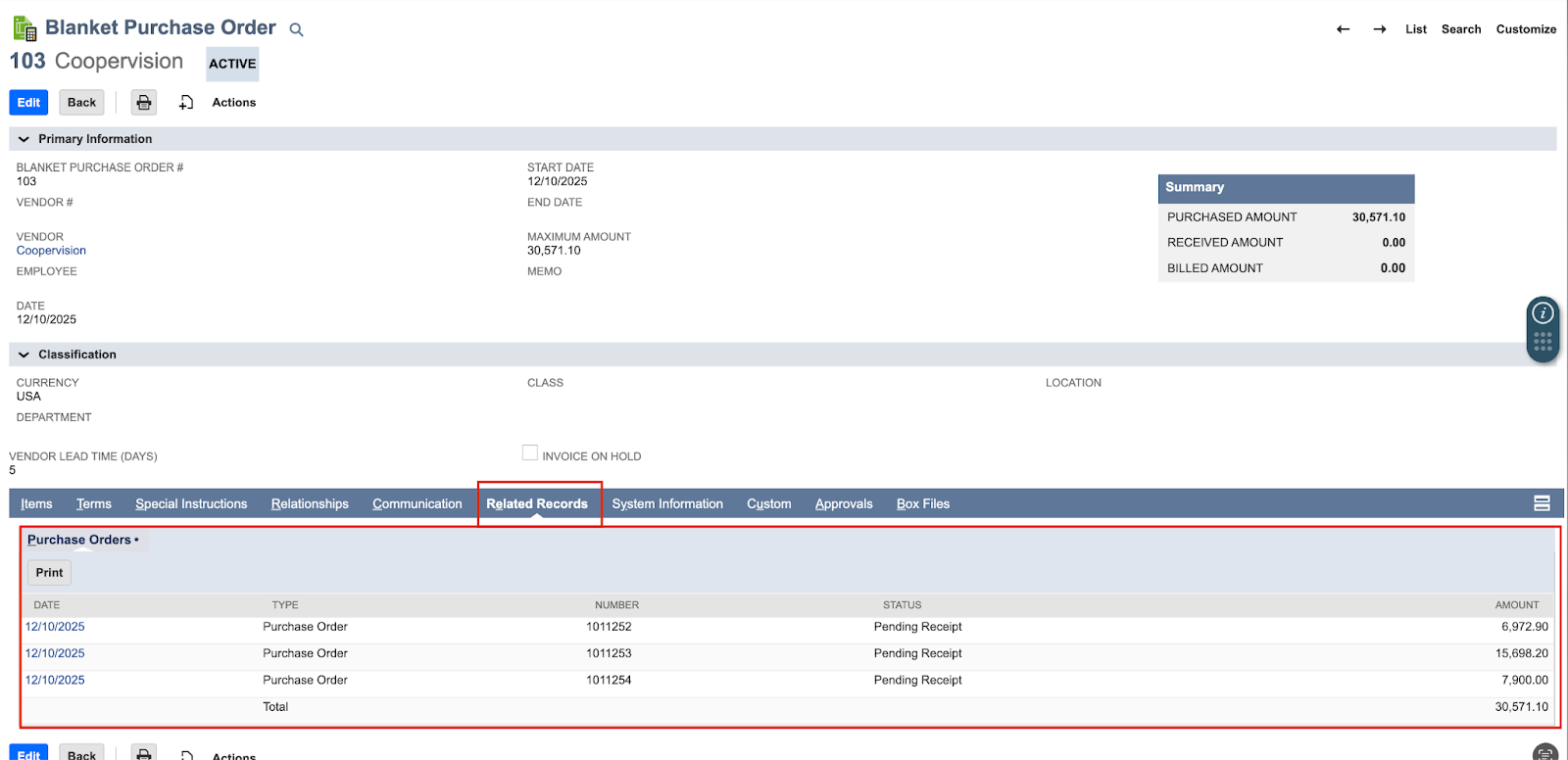
Step 2: Schedule / Create POs from the Blanket PO
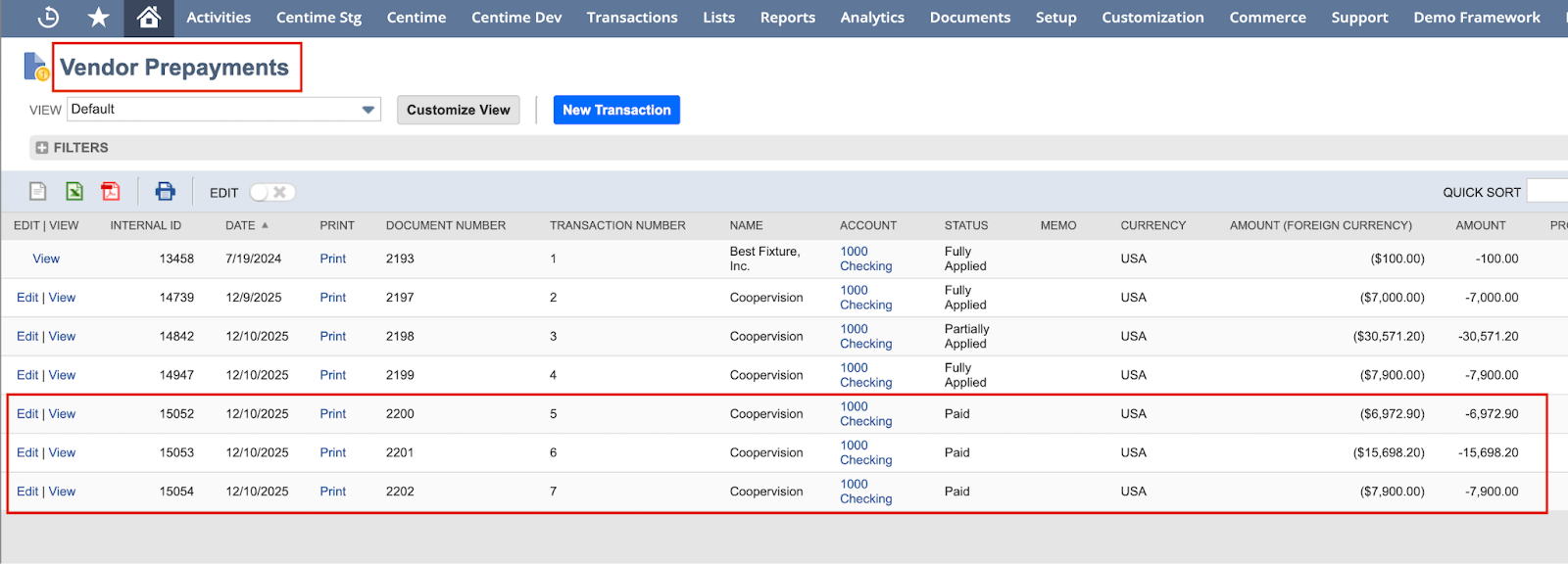
Step 3: Create A Vendor Prepayment and link it to the POs for better automation
Note: Users can also create an independent Prepayment record and link it to bills after the bills have been posted.
Step 4: Upload invoice in Centime 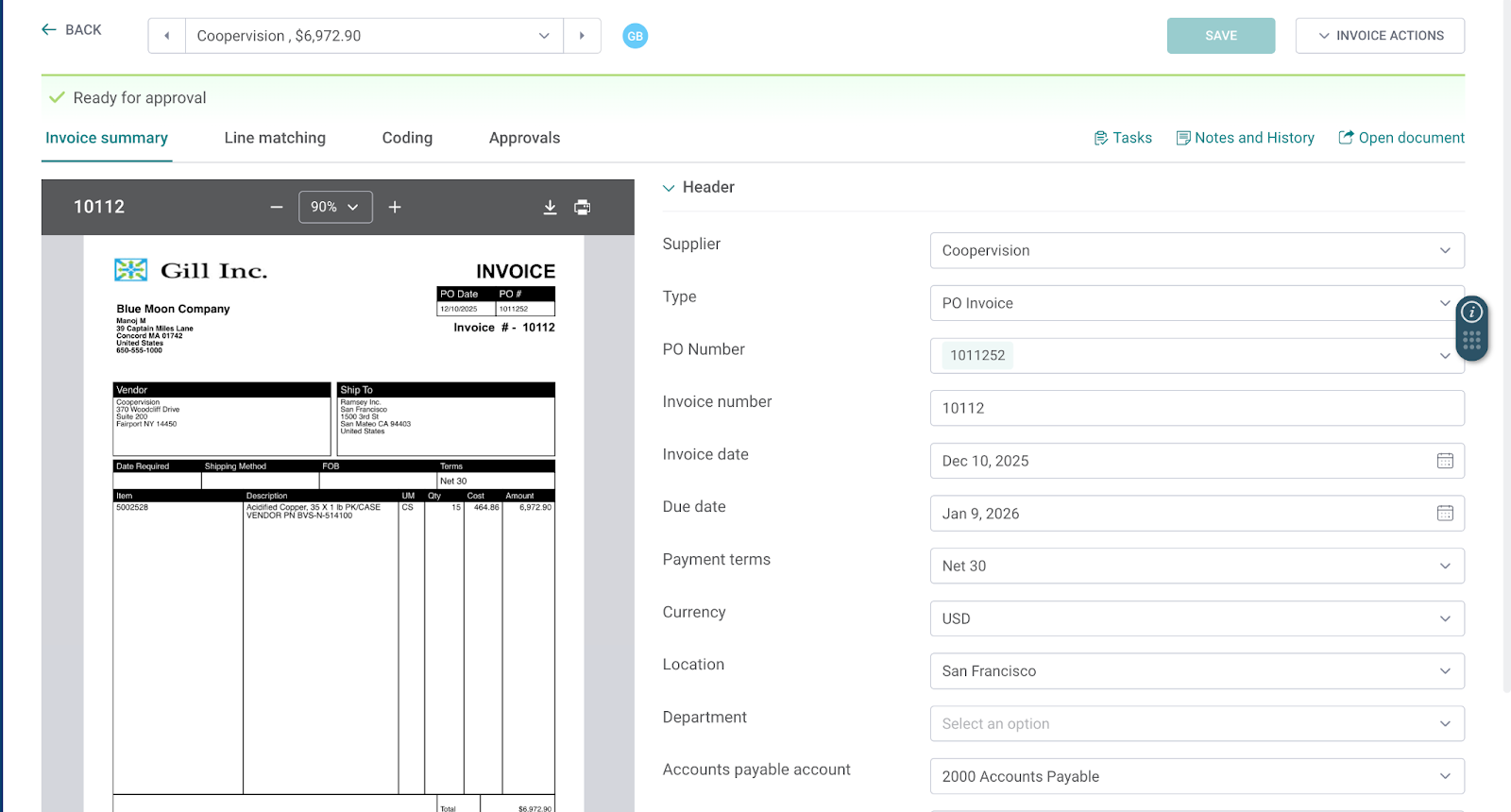
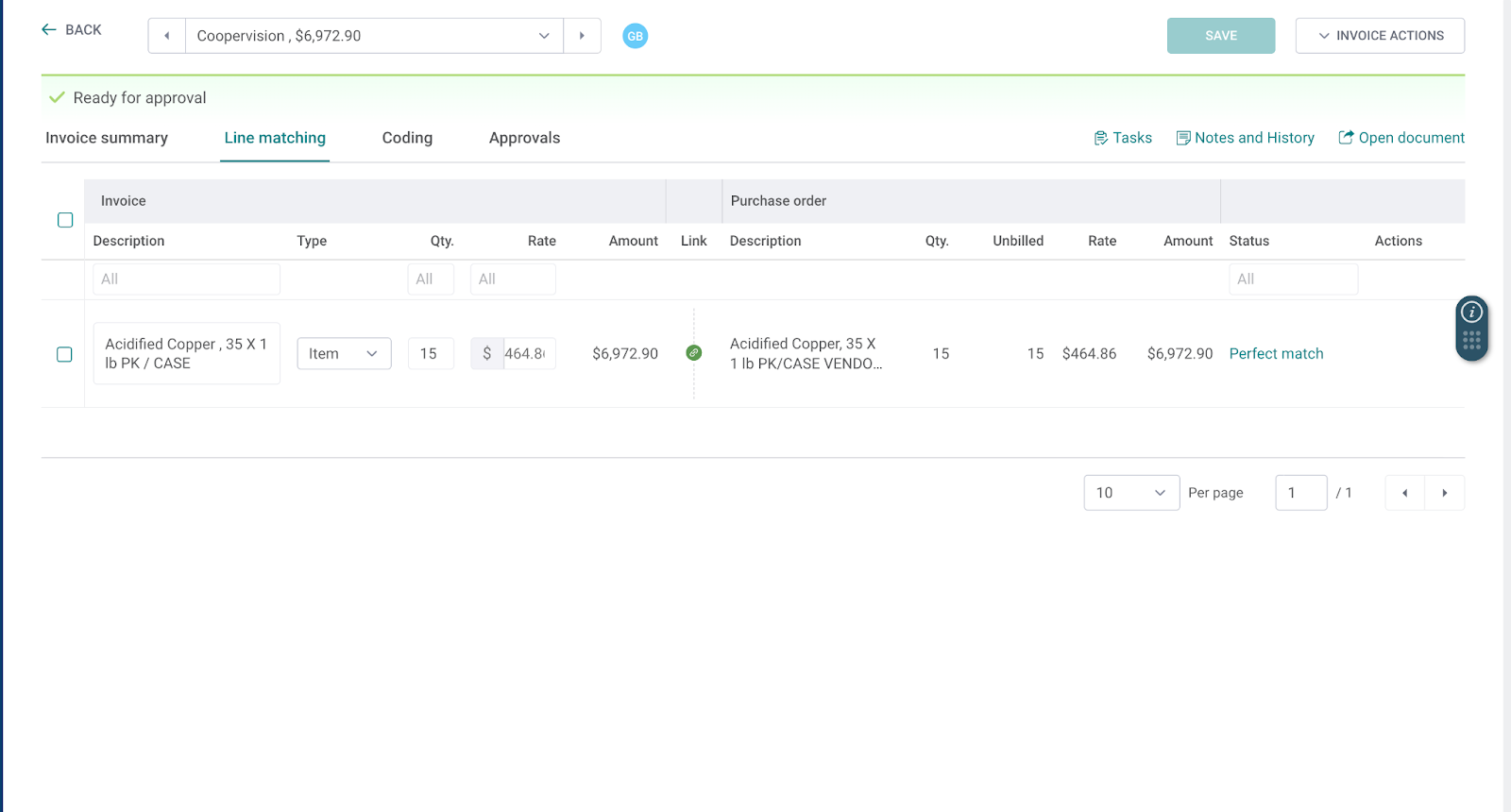
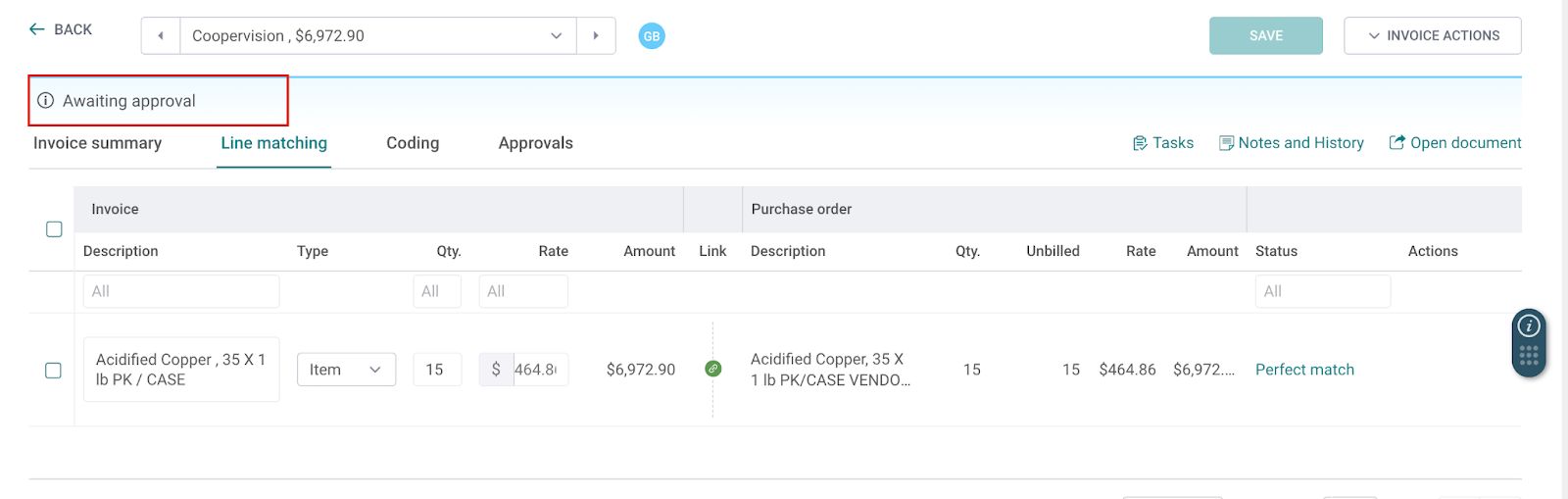
Step 5: Review Line Matching and Send invoice for approval
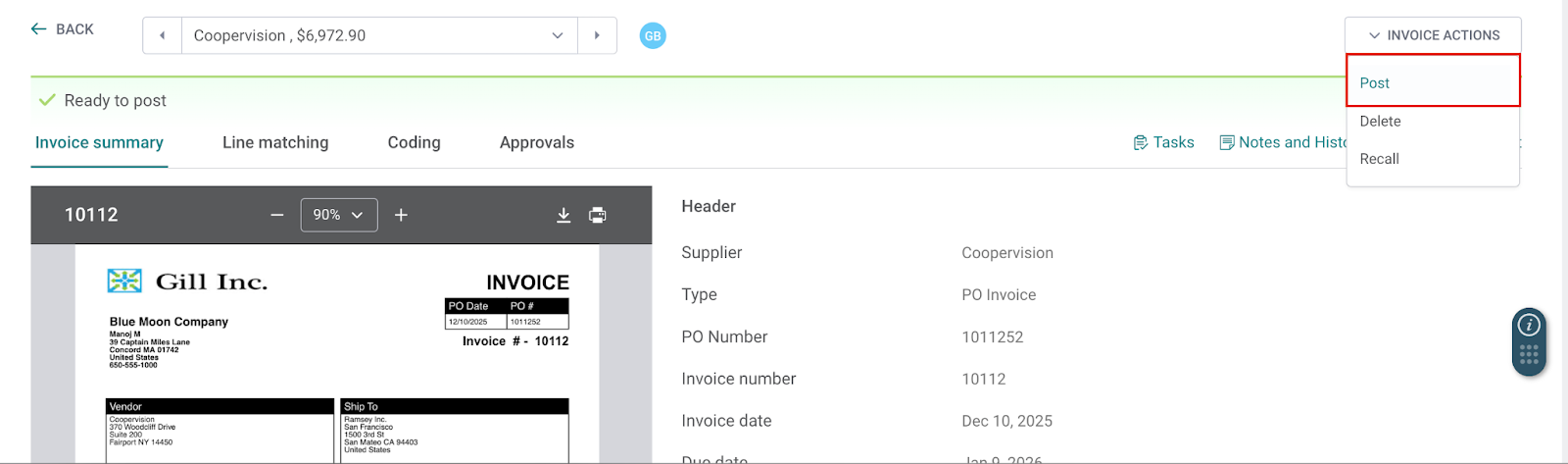
Step 6: Post this invoice to the General Ledger
Step 7: Automatic Impact in the GL
Bill is posted to the General Ledger and it is automatically “Paid In Full”.
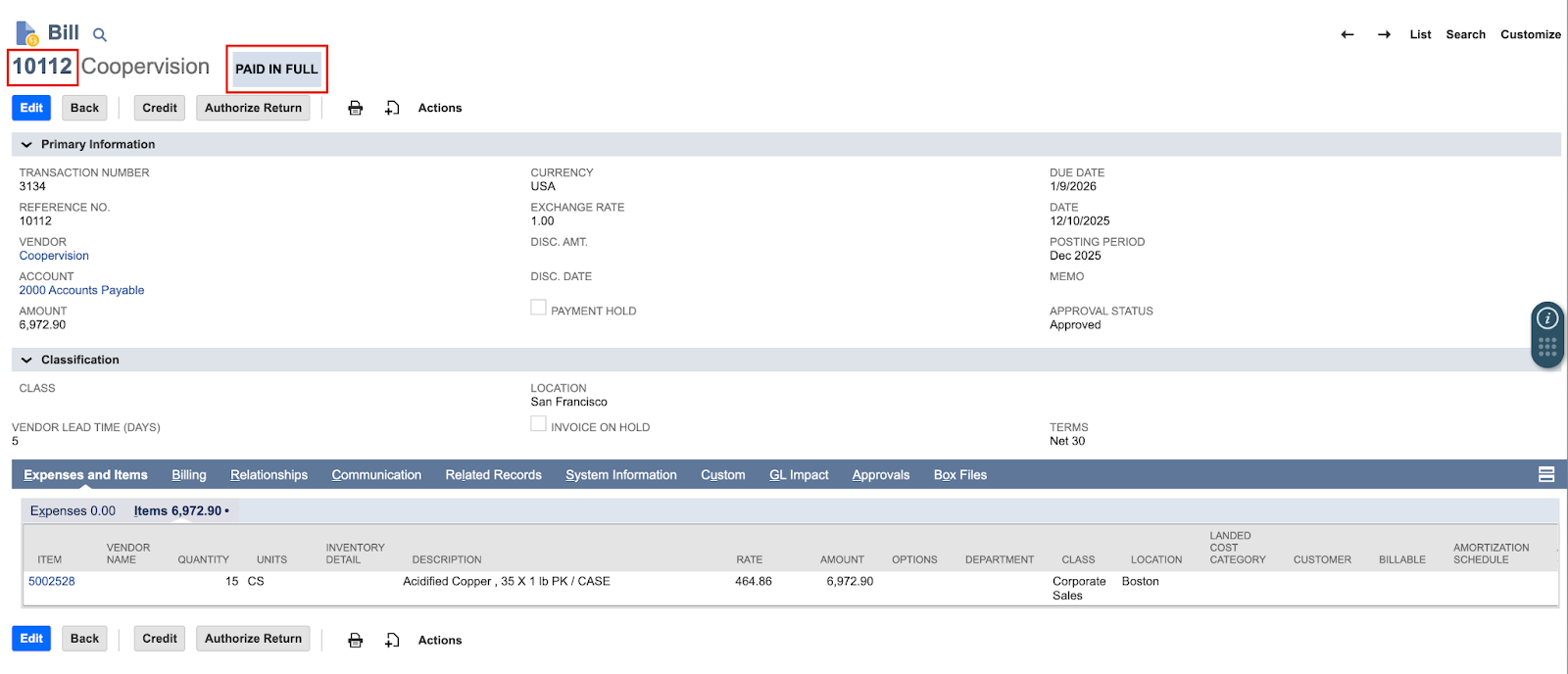
The Vendor Credit is automatically applied.

The related PO is marked as “Fully Billed” Automatically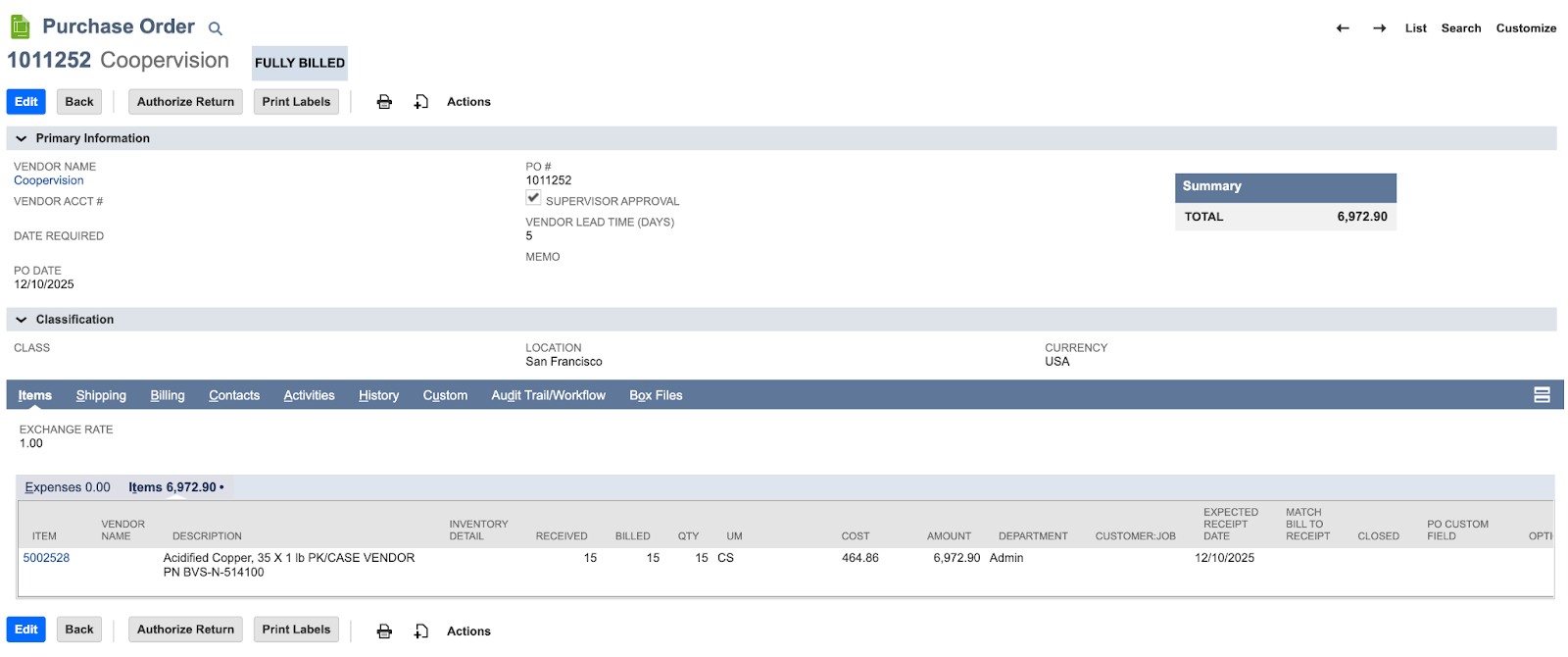
Centime recognises the prepayment and the bill is automatically in the Paid tab